
RamaSite is a lightweight, open-source CMS, and is the CMS that runs the WebmasterDeveloper web site. We created it to make building and maintaining a web site fast and easy. You can download it from github for free, under the MIT license. If you're reading this, you already have an idea what a RamaSite website looks like (Well, at least with the theme settings we're using here. Another site might look quite different.) What you can't see is what a RamaSite website looks like from the administration side. So, we thought we'd give you a tour.

RamaSite's admin features are shown in a single console. The admin console can be displayed with either a light or dark theme, whatever you prefer. A sidebar on the left lists every admin area, a global Search box sits in the top bar, and the user's initials in the top-right corner open their Profile. This article walks through each sidebar item in the order it appears.
Most content areas follow the same pattern: a searchable, sortable list with a New … button, an Edit link per row, and a shortcode (e.g. [card:design]) that drops the item into any page, post, module or card.
1. Dashboard
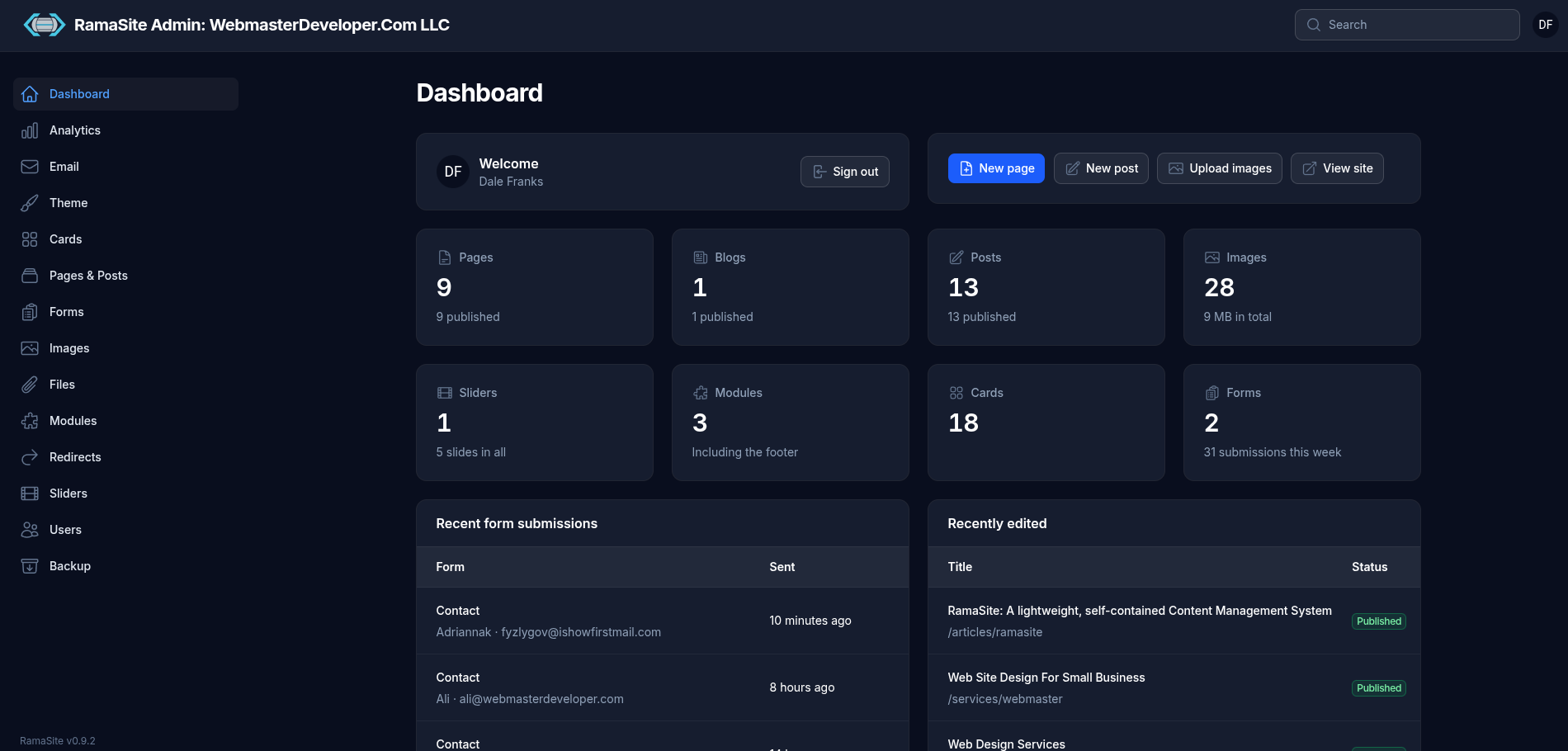
The landing screen after login.
- Welcome panel with the signed-in user's name and a Sign out button.
- Quick actions: New page, New post, Upload images, View site.
- At-a-glance counters for Pages (published/draft), Blogs, Posts, Images (with total storage), Sliders (and total slides), Modules (including the footer), Cards and Forms (with submissions this week).
- Recent form submissions and Recently edited lists at the bottom.
2. Analytics
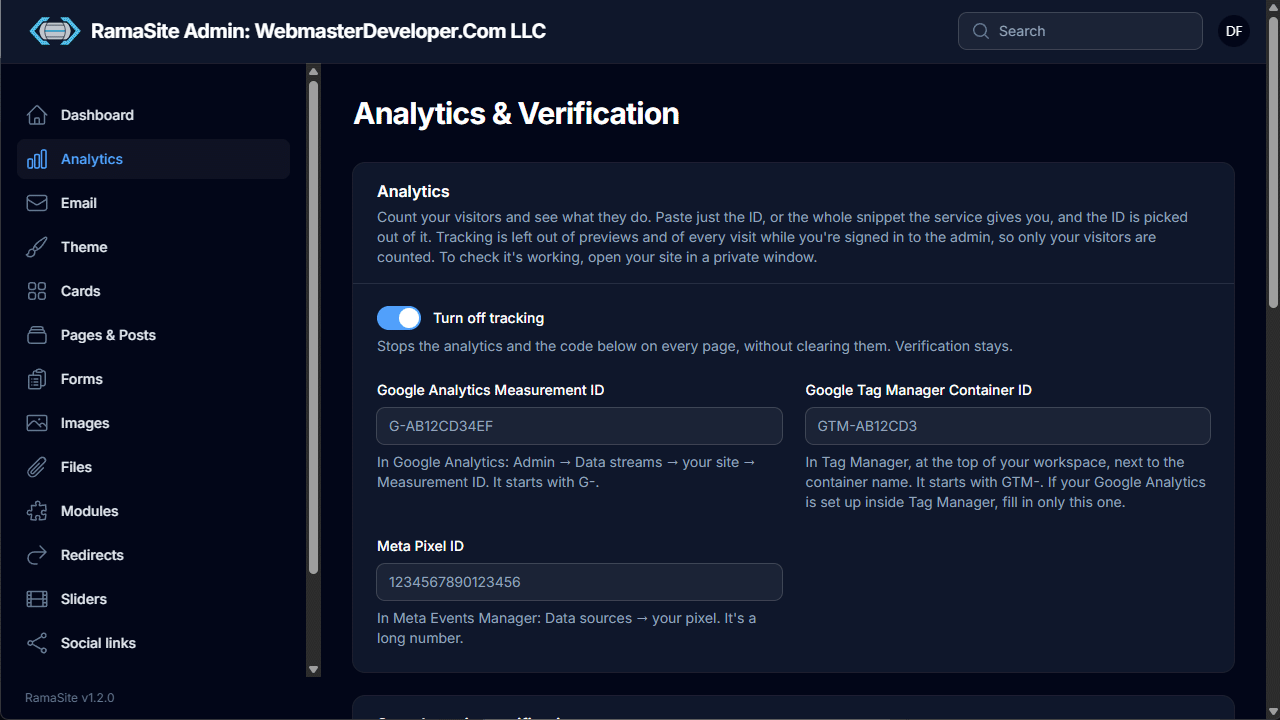
The Analytics & Verification screen connects visitor tracking services.
- Paste just the ID, or the whole snippet the service provides — RamaSite extracts the ID.
- Supported trackers: Google Analytics Measurement ID (
G-…), Google Tag Manager Container ID (GTM-…) and Meta Pixel ID. Each field has help text explaining where to find the ID. - Tracking is automatically skipped for previews and for visits while signed in to the admin, so only real visitors are counted.
- A Turn off tracking switch pauses all analytics without clearing the IDs (site verification keeps working).
- A further section below handles search engine verification, proving to Google Search Console and Bing that the site is yours with the code they give you.
3. Email
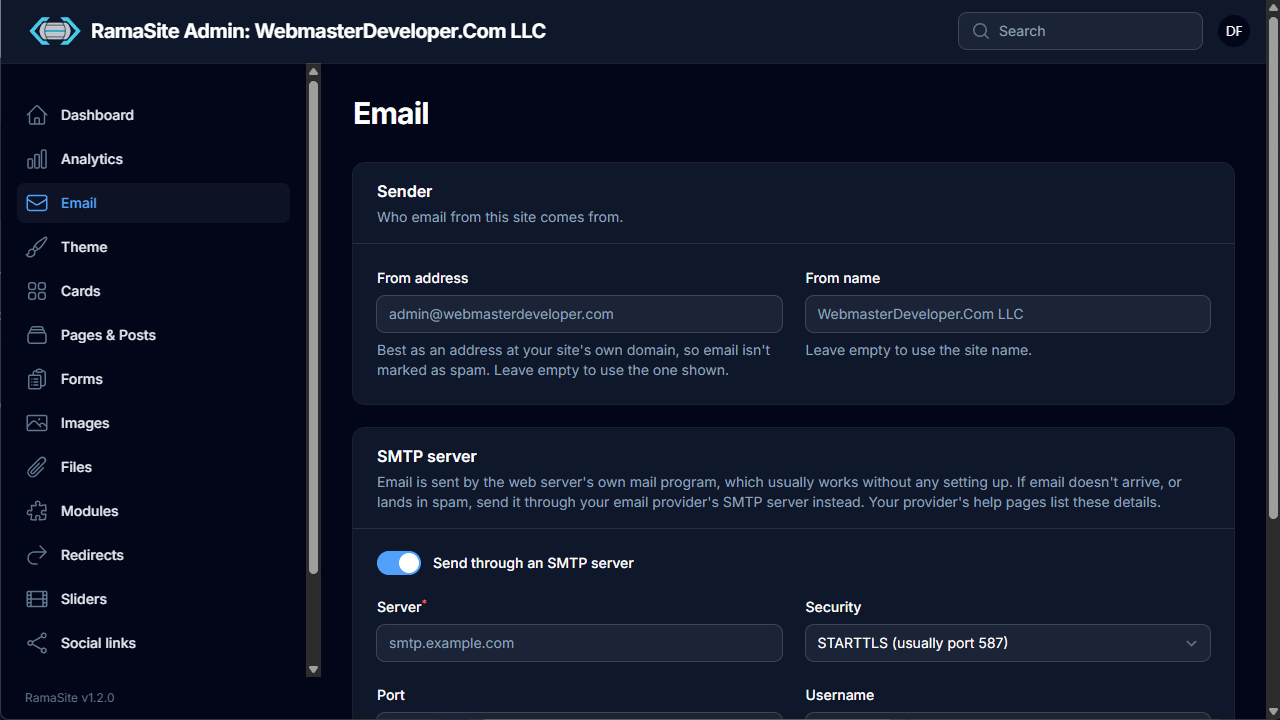
Controls how the site sends mail (e.g. form notifications).
- Sender: From address and From name. Using an address on the site's own domain helps avoid spam filtering; empty fields fall back to defaults/site name.
- SMTP server: By default mail goes through the web server's own mail program. Toggle Send through an SMTP server to use a provider instead, with Server, Security (e.g. STARTTLS on port 587), Port, Username and password.
4. Theme
The Theme screen is organized into tabs: Branding, Colors, Header, Fonts, Cards, Panel styles, Footer, Slider, Layout. Every tab has Save and Reset to defaults.
Branding
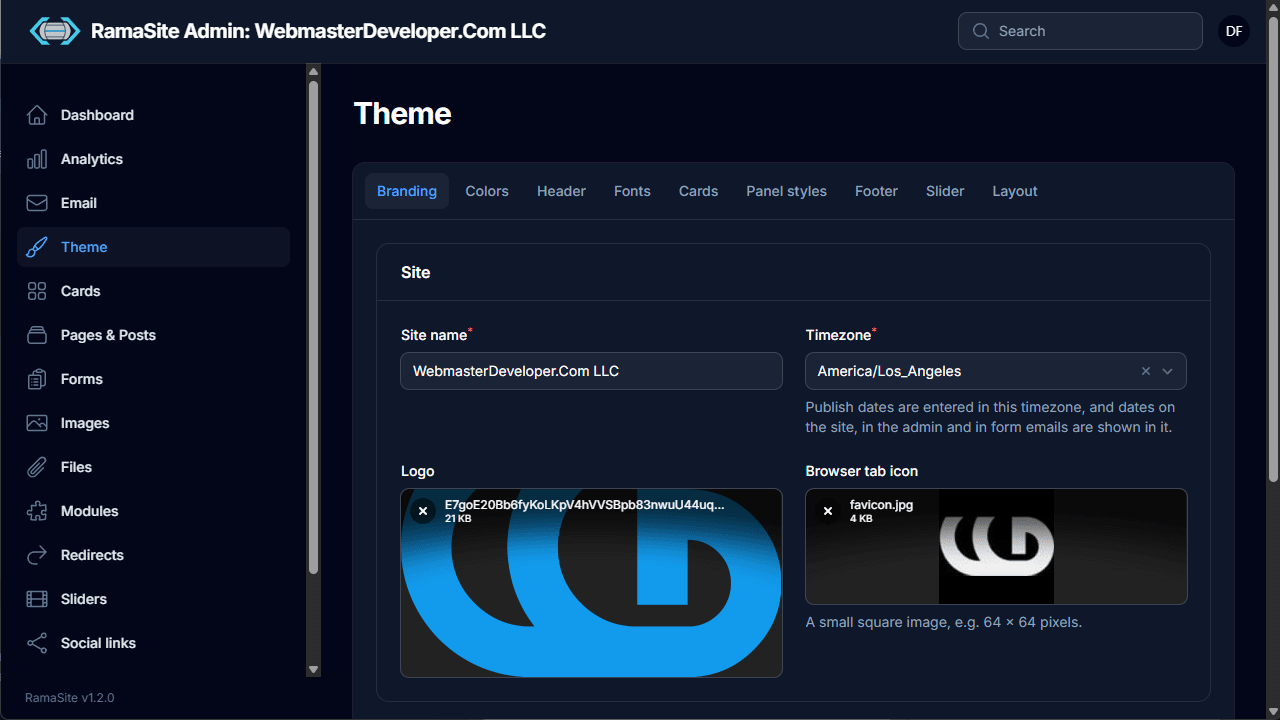
Site name, timezone (used for publish dates and all displayed dates), logo upload and browser tab icon (favicon, ideally 64 × 64 px).
Colors
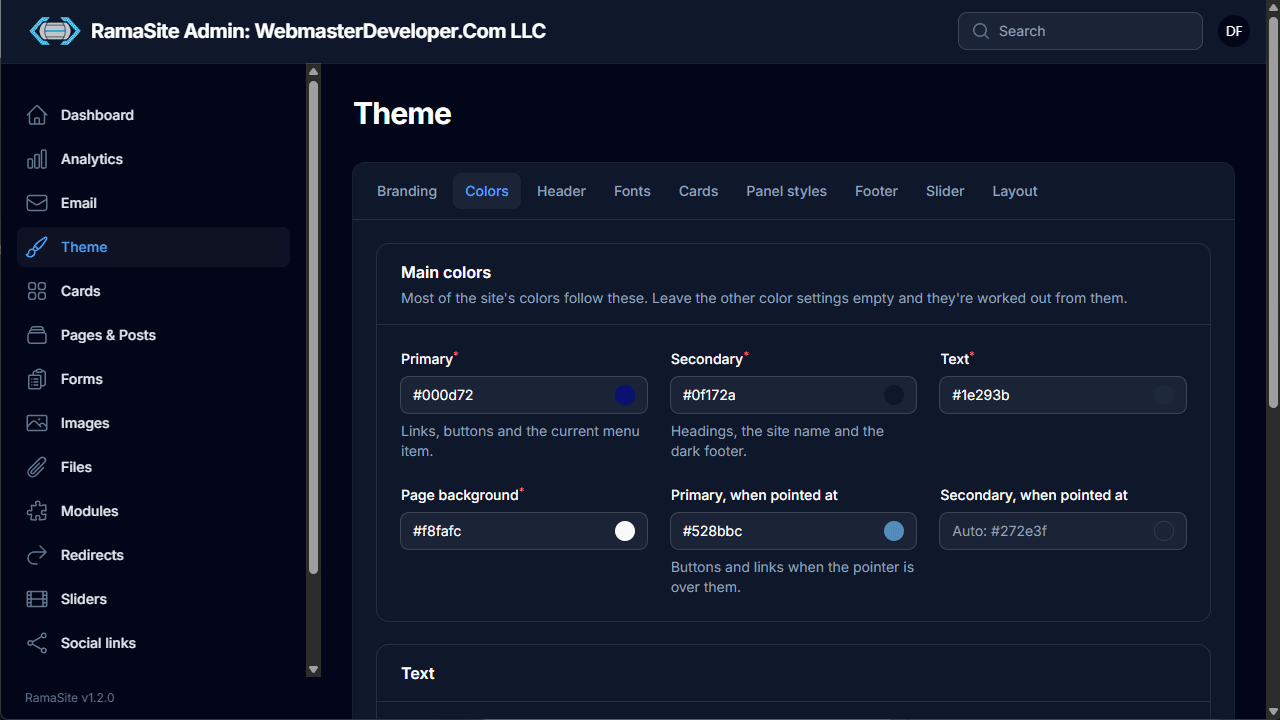
Main colors — Primary, Secondary, Text and Page background — plus optional hover ("when pointed at") colors. Any color left empty is derived automatically from the main colors. Further sections fine-tune text colors.
Header
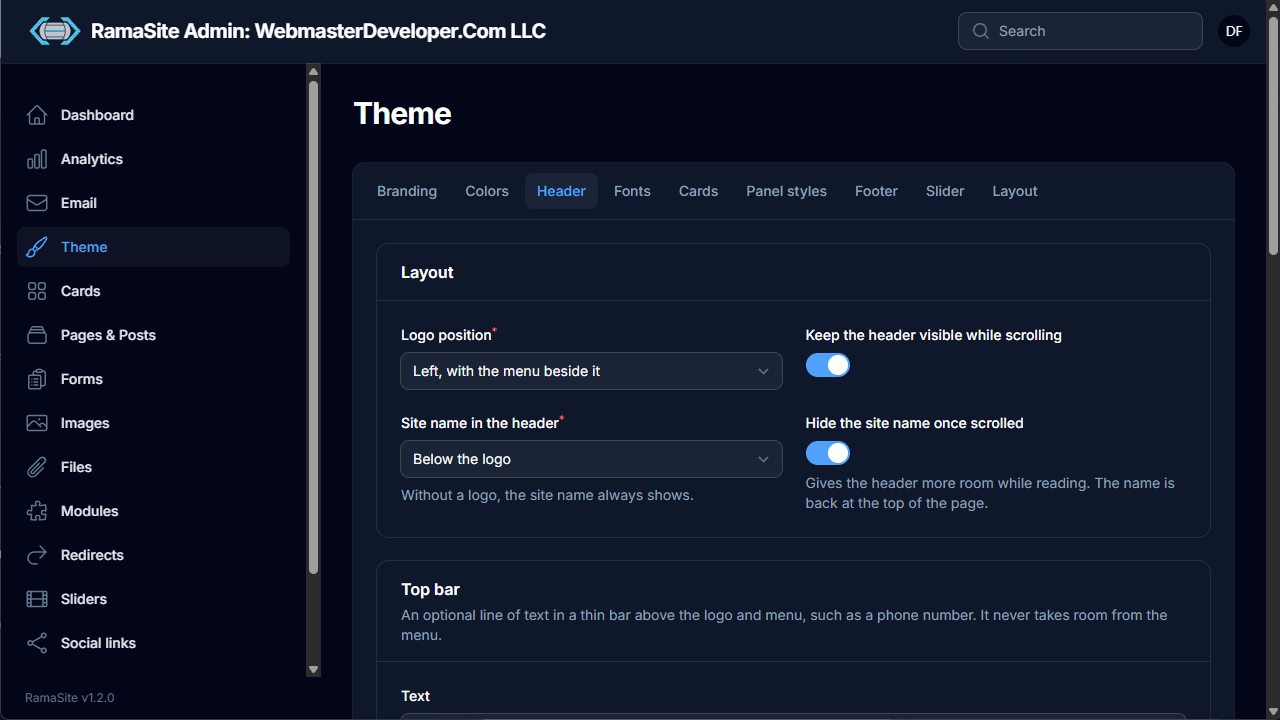
Logo position (e.g. left with menu beside it), where the site name appears, a sticky header option, and hiding the site name once scrolled. An optional Top bar shows a thin line of text (such as a phone number) above the logo and menu.
Fonts
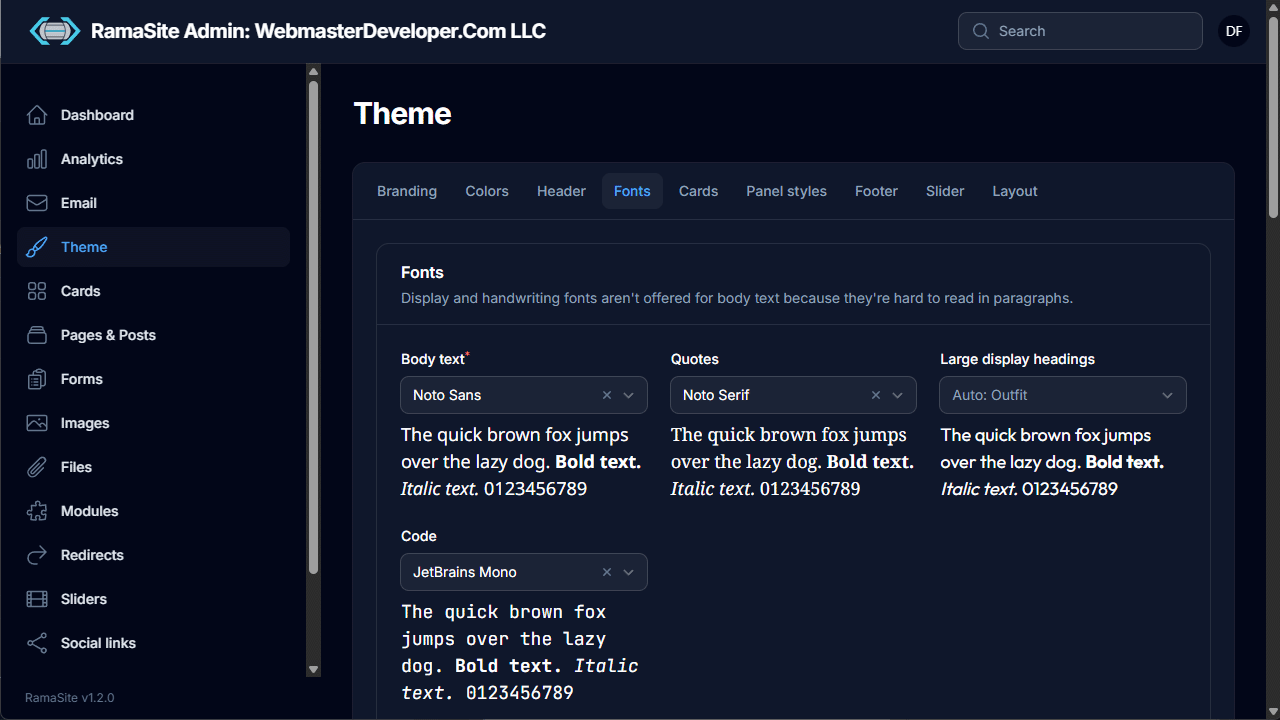
Separate font pickers for Body text, Quotes, Large display headings and Code, each with a live preview. Display and handwriting fonts are deliberately not offered for body text, but there is a curated list of nearly 50 Google fonts available, which should cover most typography needs. If not, anyone comfortable with CSS can bring in another font with the Custom CSS box on the theme's Layout tab.
Cards
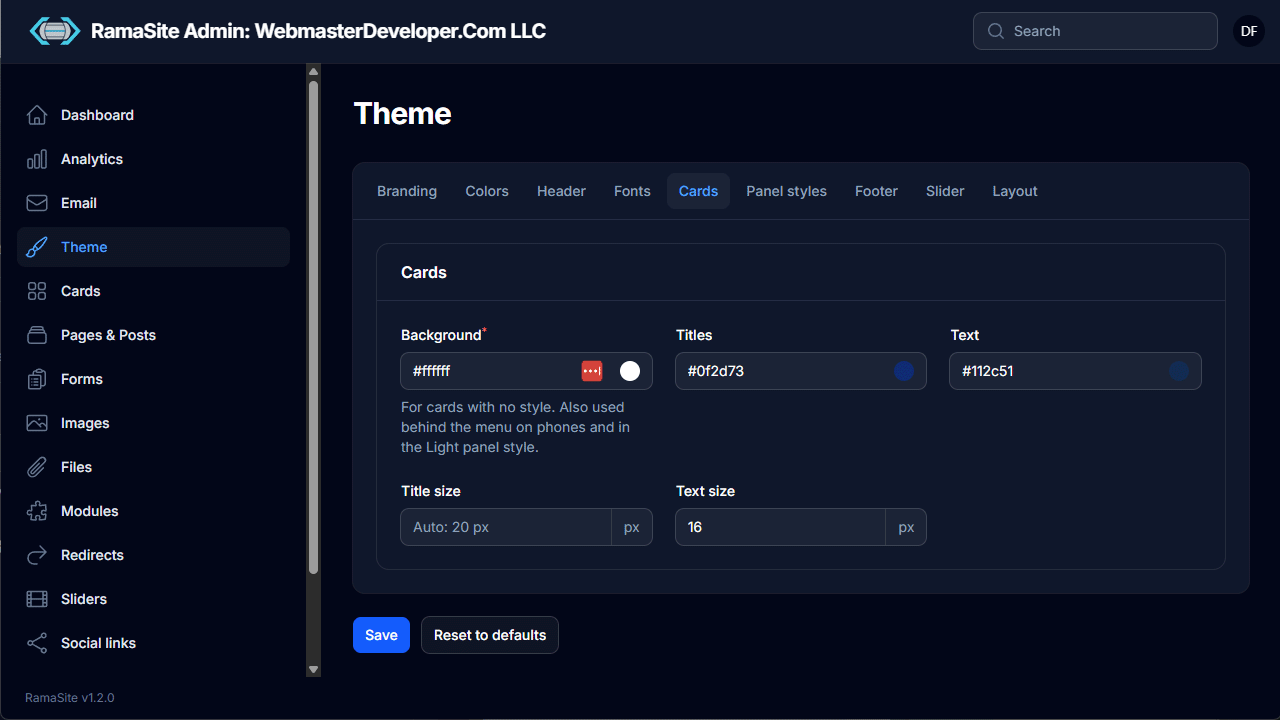
This screen enables you to edit the Default card Background, Titles and Text colors, plus Title size and Text size. The card background is also used behind the mobile menu and in the Light panel style. Further styling for Light, Dark and Primary color cards can be applied via the Panel styles tab.
Footer
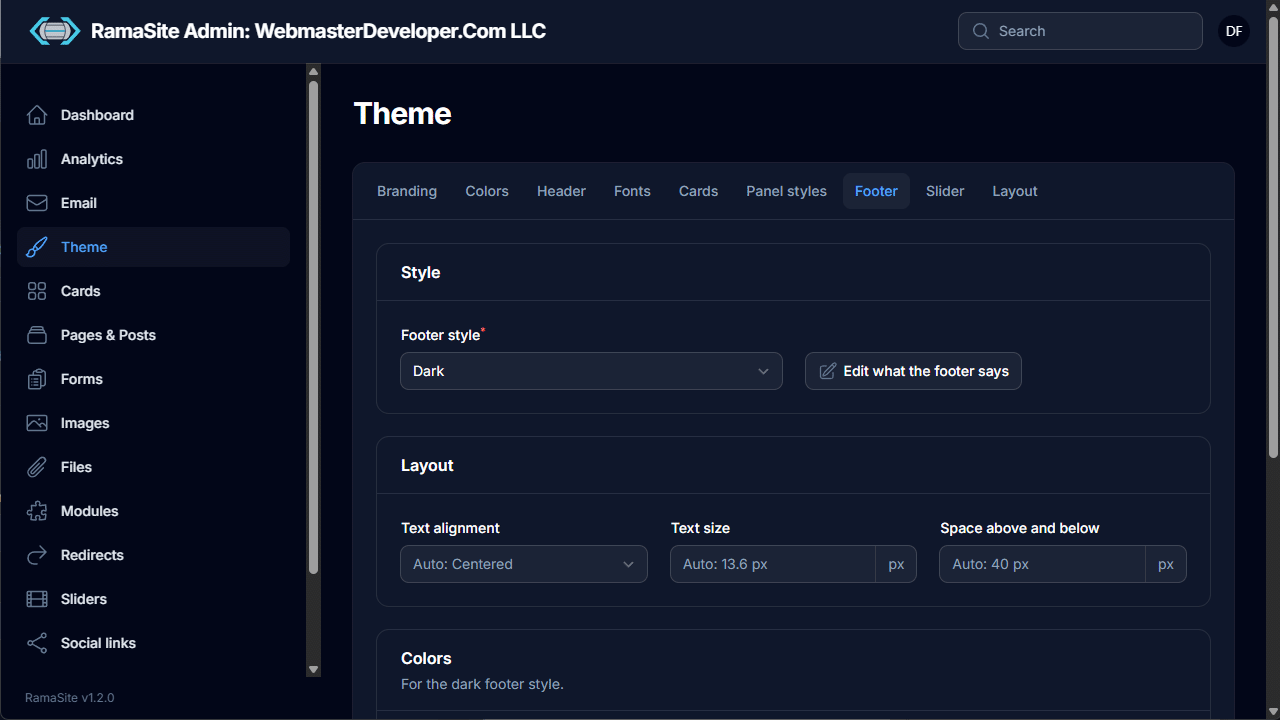
Footer style (e.g. Dark) with a shortcut to Edit what the footer says (the Footer module), layout options (text alignment, text size, vertical spacing) and footer colors.
Layout
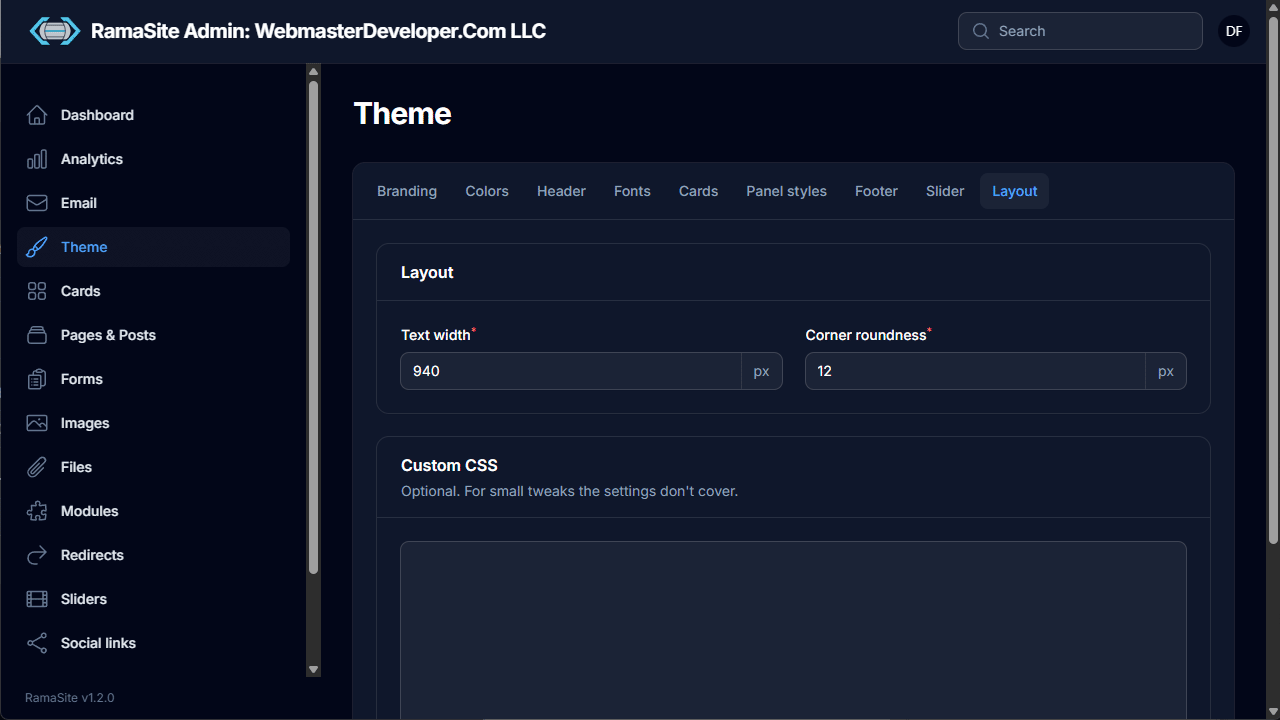
Global Text width and Corner roundness (in px), plus a Custom CSS box for small tweaks the settings don't cover.
5. Cards
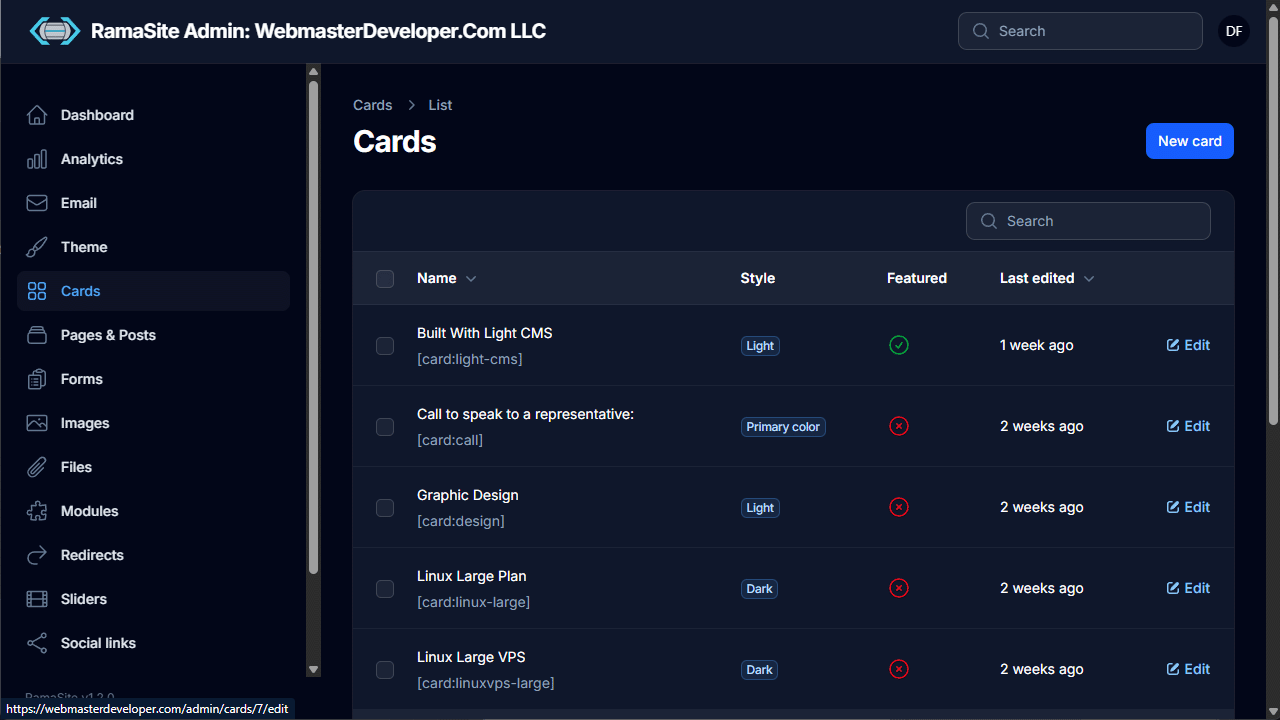
Cards are small snippets of reusable content, like service tiles, pricing plans, calls to action, etc. This content is displayed as cards within the main content area. Cards line up automatically in up to three columns. You can call a single card with the [card:cardname] shortcode, or multiple cards with the [cards: card1, card2, card3] shortcode. The list shows each card's name, shortcode, style, whether it's featured, and when it was last edited.
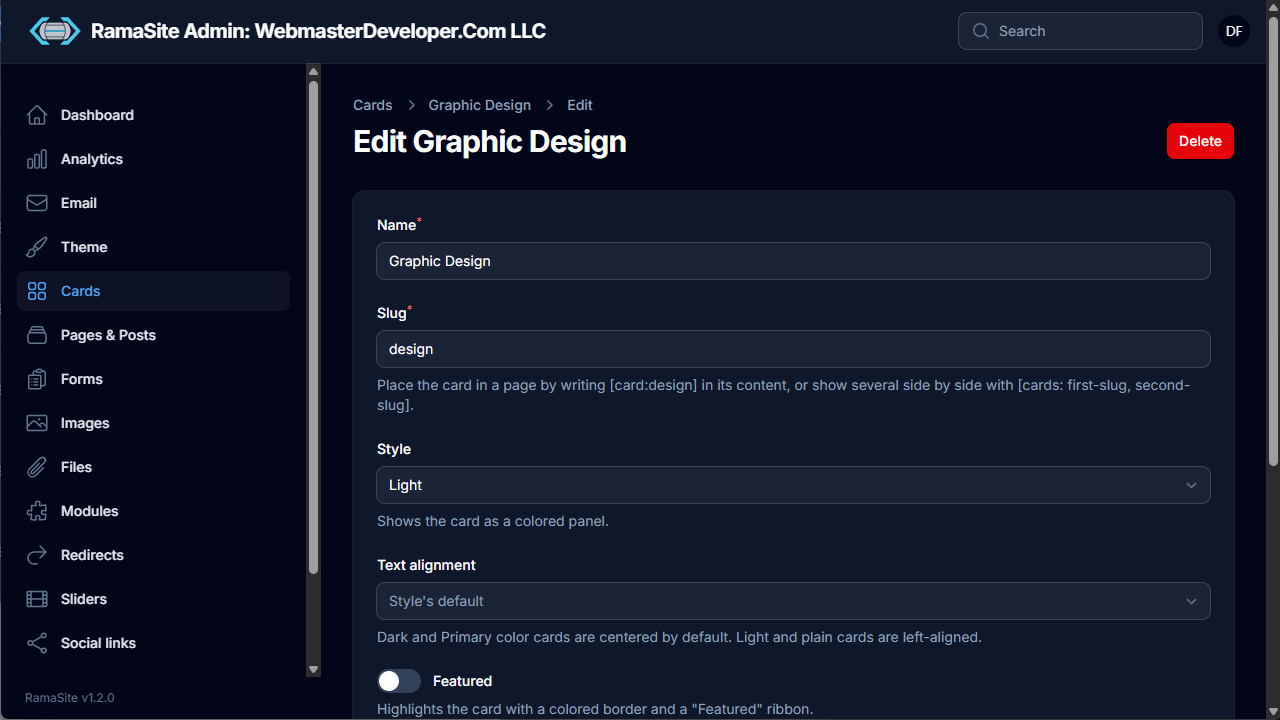
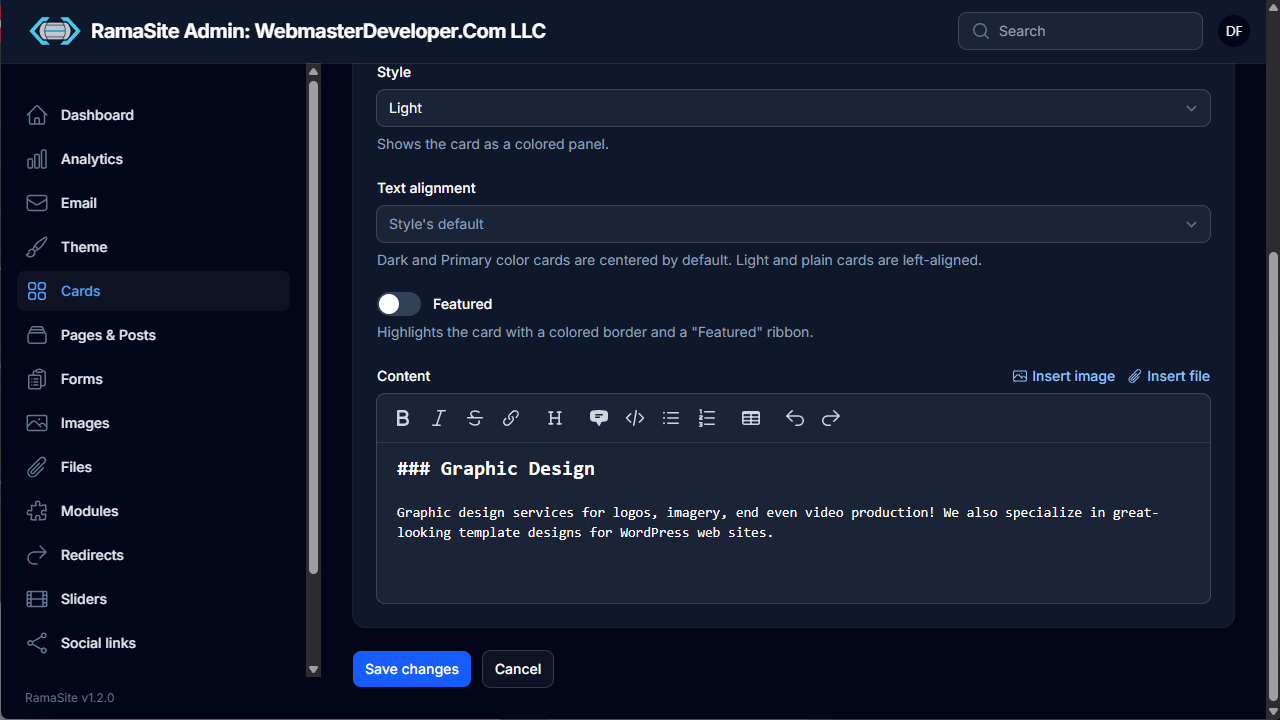
The card editor includes:
- Name and Slug — place with
[card:slug], or several side by side with[cards: first-slug, second-slug]. - Style (Light, Dark, Primary color, or none) and Text alignment (dark and primary cards center by default; light and plain cards align left).
- Featured toggle — adds a colored border and a "Featured" ribbon.
- Content in a Markdown editor with toolbar, plus Insert image and Insert file helpers.
6. Pages & Posts
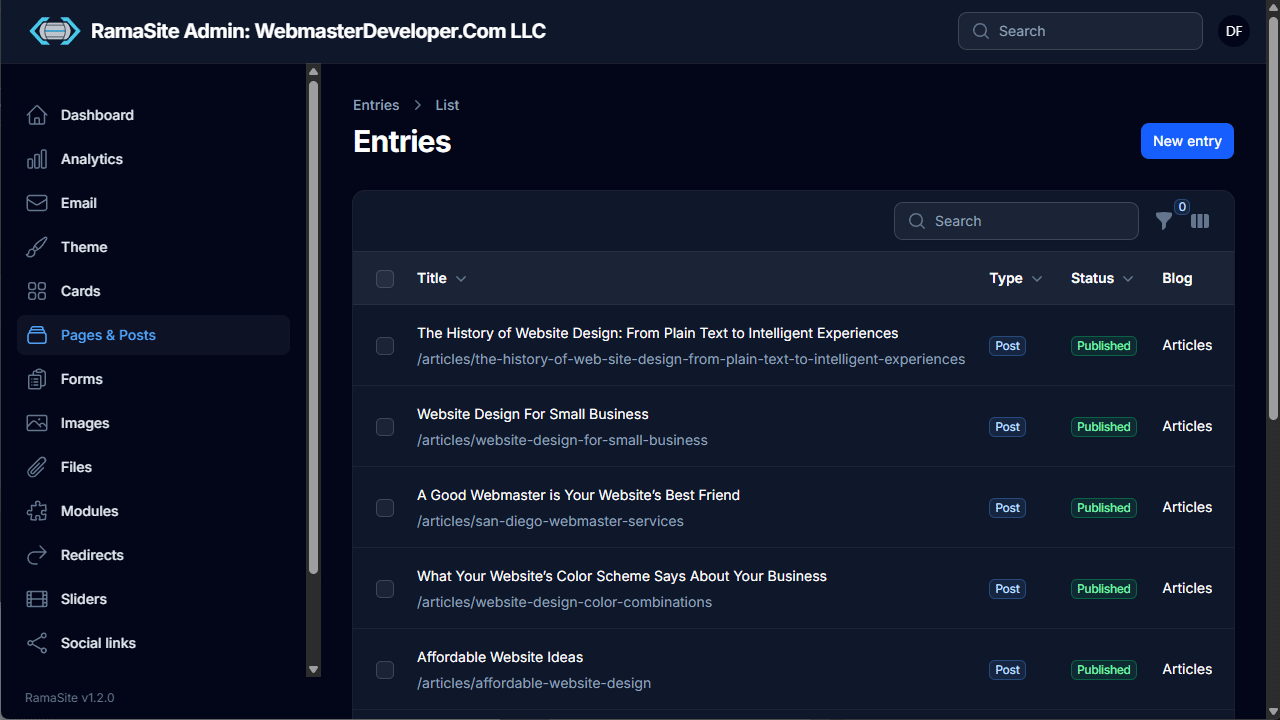
All site content lives here as Entries. The list shows title, URL path, type (Page/Post), status (Published/Draft) and the blog it belongs to, with search, filters and column toggles. An entry can be a Page (a normal web page), a Blog (the parent page for a blog that shows all of that blog's article excerpts in a paginated list), or a Post (a blog post). A website can have multiple blogs, each with its own posts.
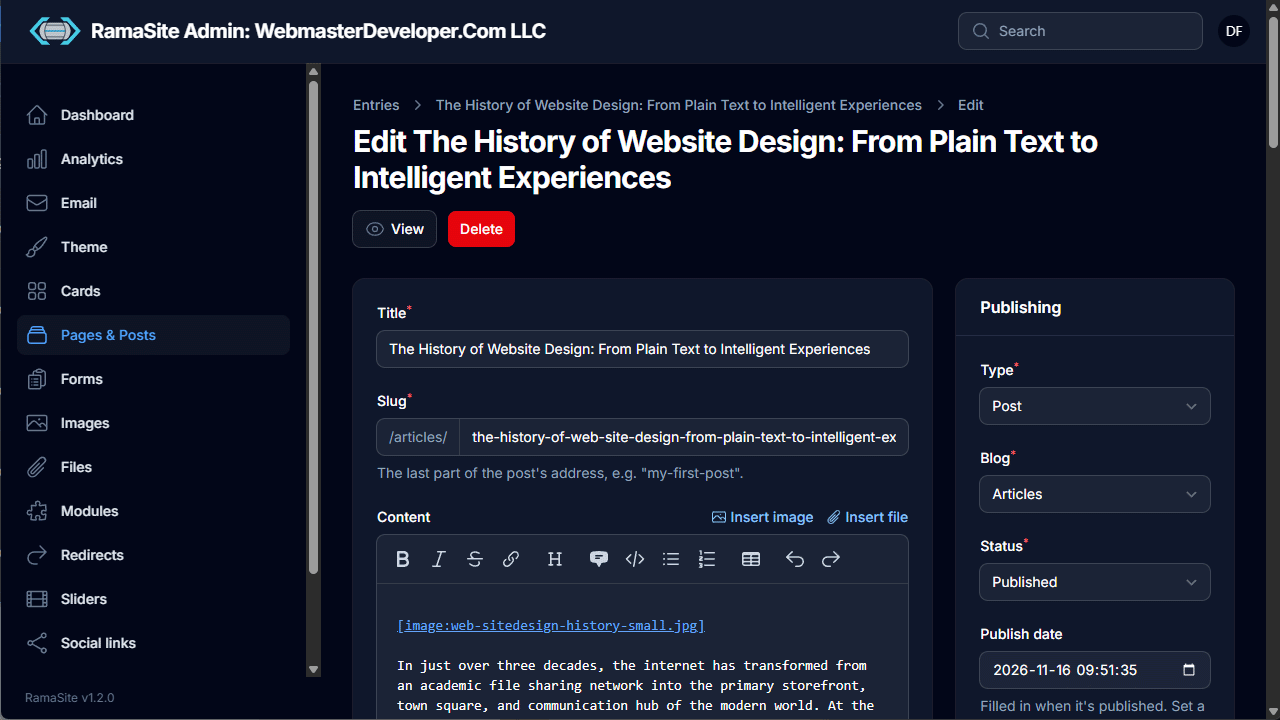
The entry editor has:
- Title, Slug (prefixed with the blog path, e.g.
/articles/) and a Markdown Content editor with image/file insertion via shortcodes like[image:file.jpg]. - A Publishing sidebar: Type, Blog or Parent page, Status, and Publish date (set a future date to schedule).
- View and Delete buttons at the top (View reads Preview while an entry isn't published yet).
7. Forms
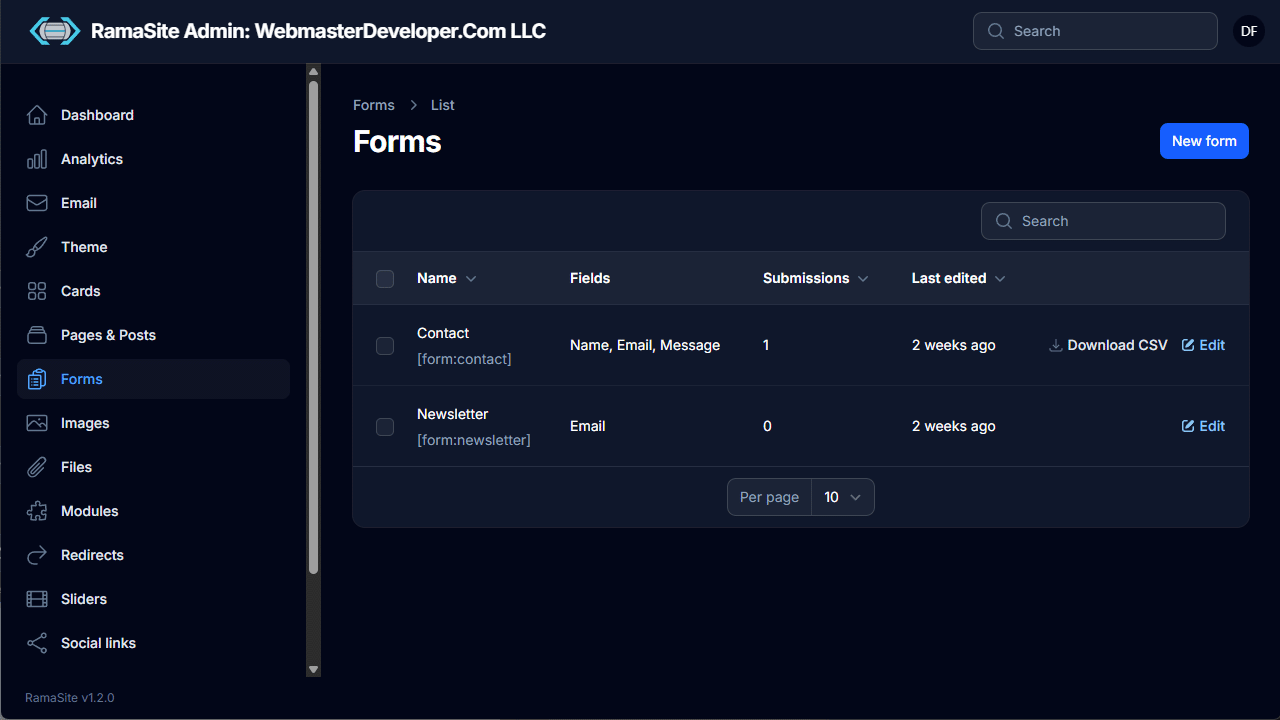
Build contact, newsletter and other forms. The list shows each form's fields, number of submissions, and a Download CSV link for submissions.
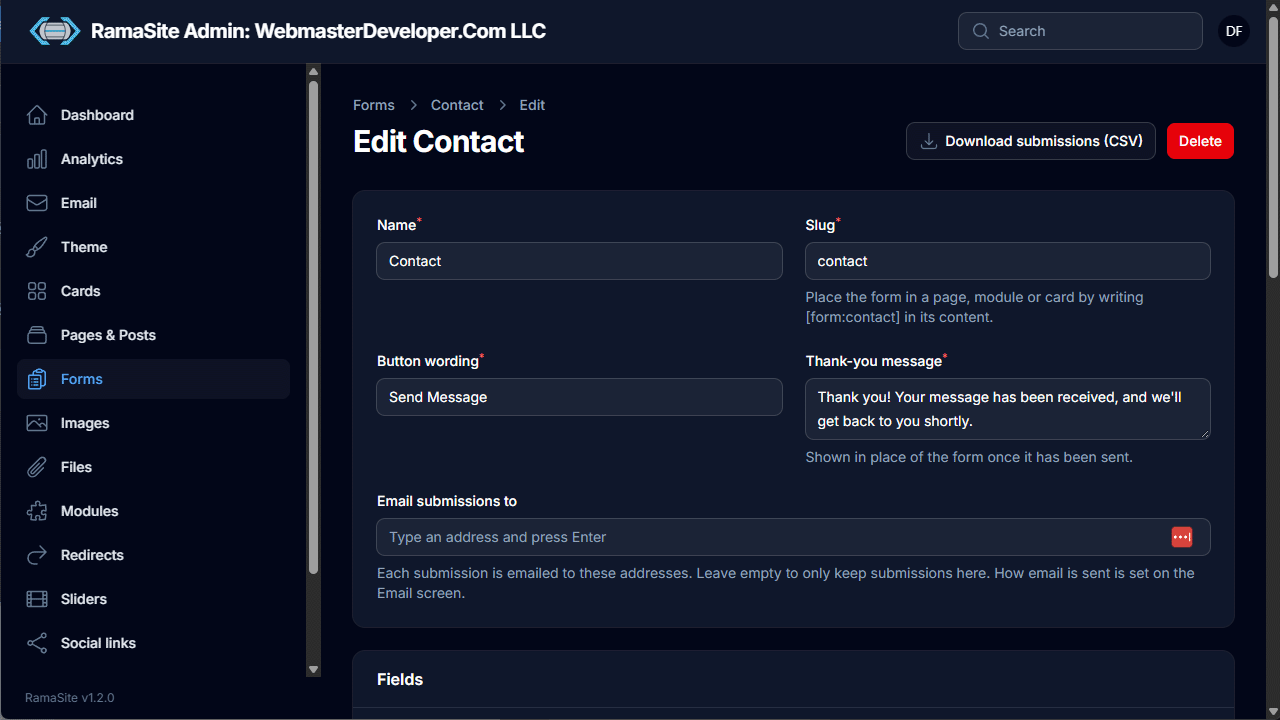
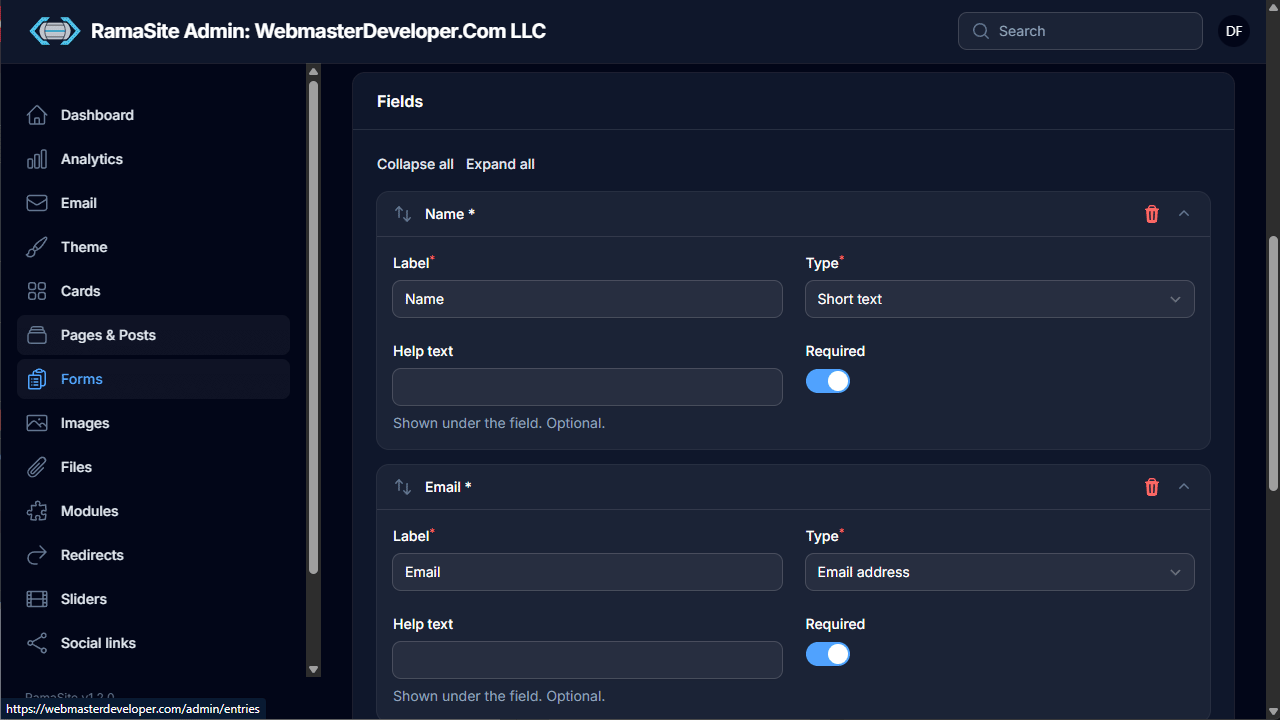
Form settings:
- Name, Slug (place with
[form:slug]in a page, post, module or card), Button wording and Thank-you message. - Email submissions to — one or more addresses; leave empty to only store submissions in the admin.
- Fields — drag-to-reorder field list; each field has a Label, Type (Short text, Email address, etc.), optional Help text and a Required toggle.
- Download submissions (CSV) and Delete in the header.
8. Images
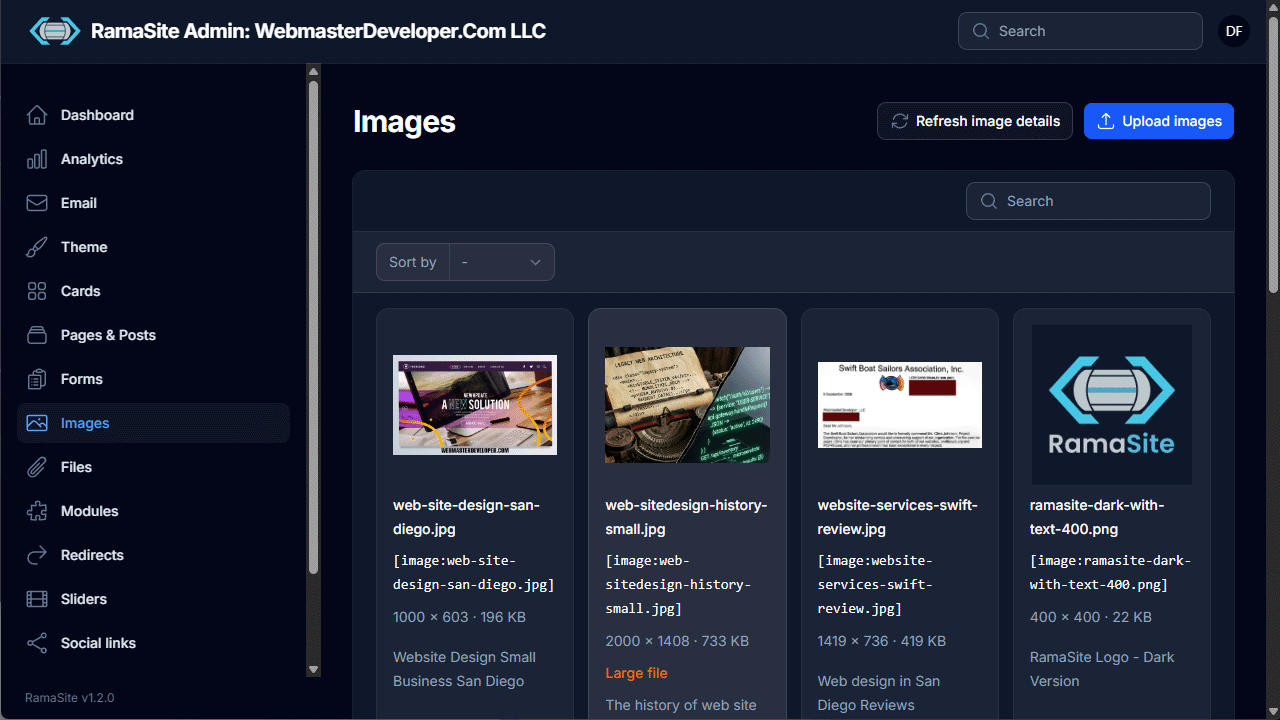
The media library as a grid of thumbnails. Each image shows its filename, shortcode ([image:name.jpg]), dimensions, file size and alt text. Oversized images are flagged as Large file. Includes sorting, search, Upload images and Refresh image details.
9. Files
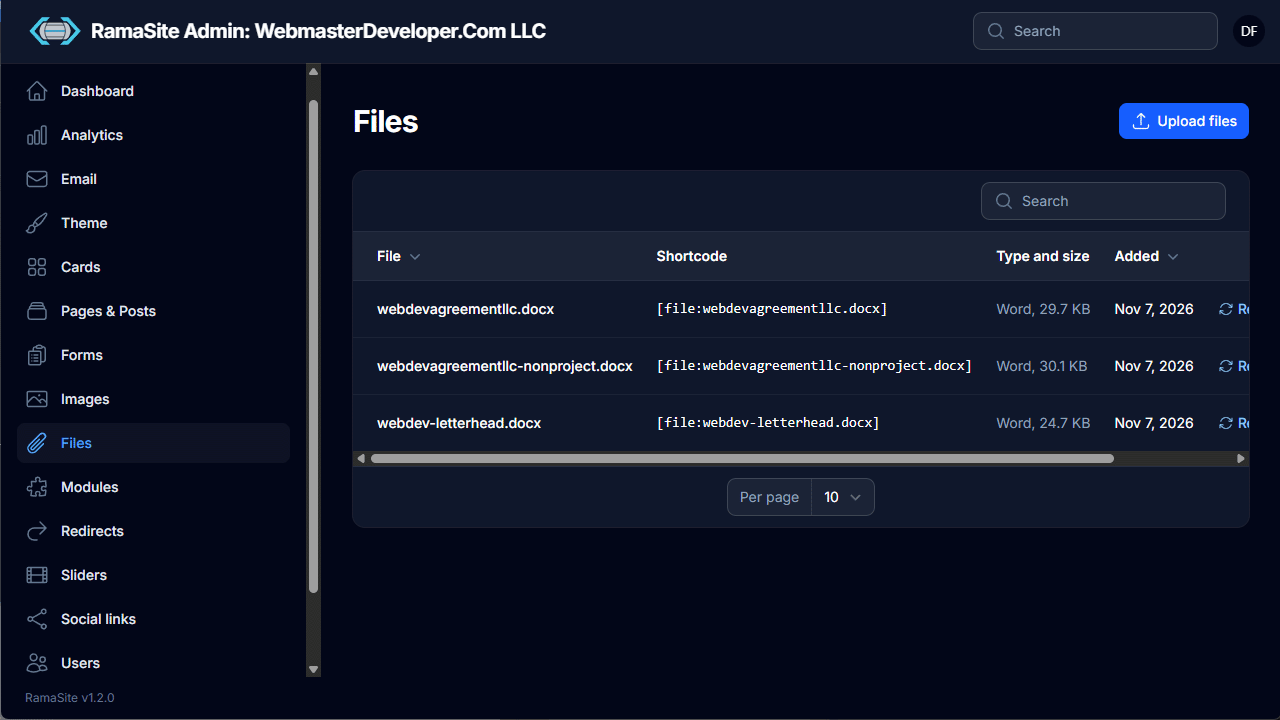
Non-image downloads (e.g. Word documents). Each file lists its shortcode ([file:name.docx]), type and size, and date added, with options to replace files and Upload files.
10. Modules
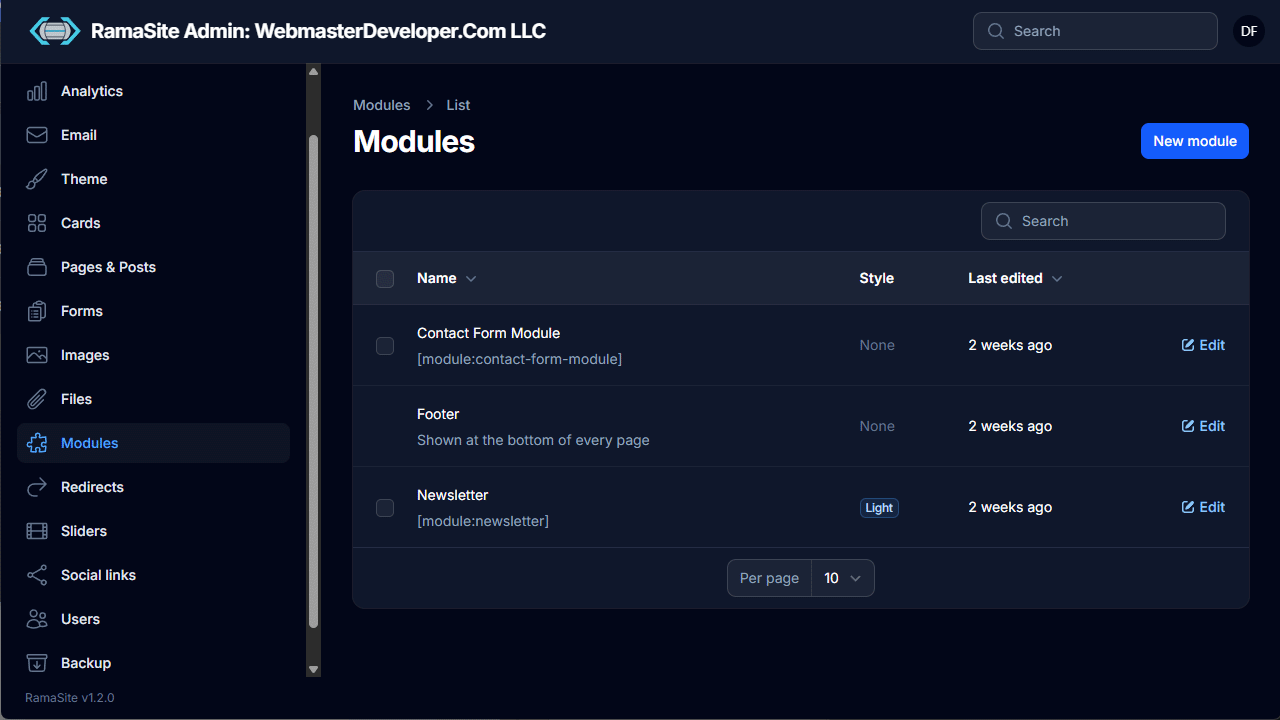
Modules are reusable chunks of content embedded with [module:slug]. For example a contact form module or a newsletter signup form. The Footer is also a special module that's shown at the bottom of every page. You can think of modules as independent page sections. When building a page with the Landing layout, modules stretch horizontally from edge to edge in the browser, and can have background images and angled or wavy top and bottom edges.
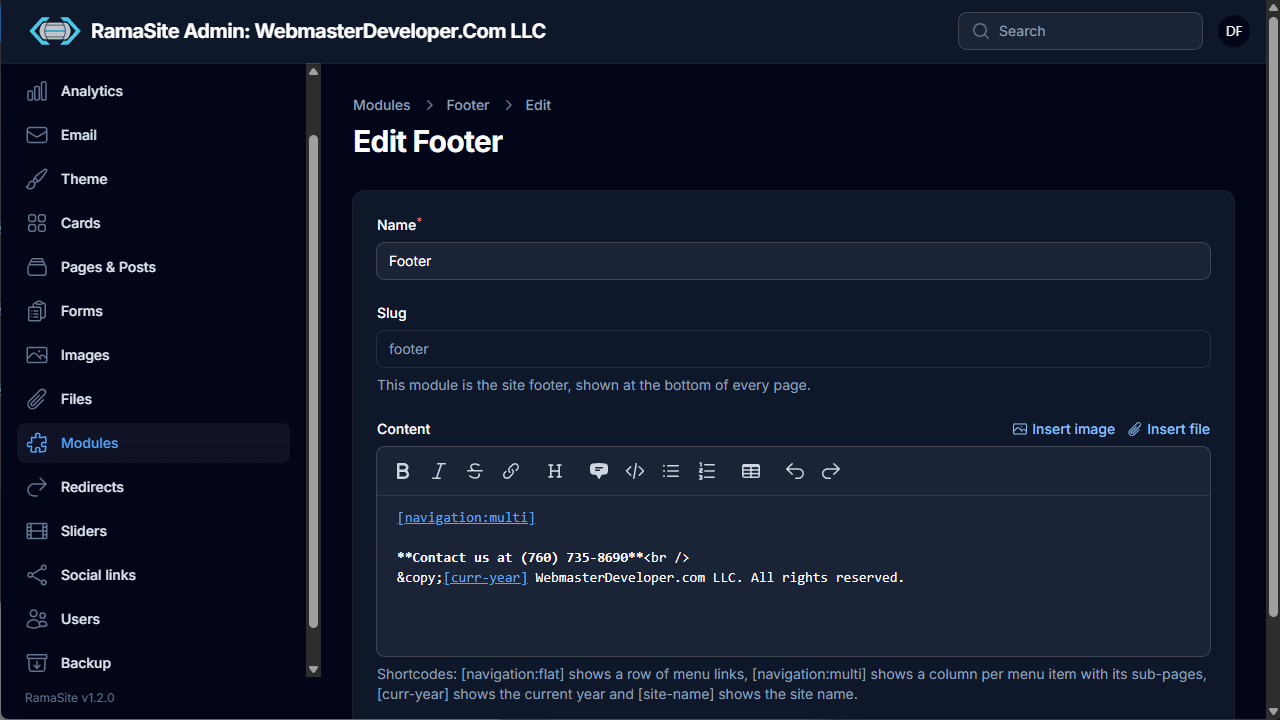
The module editor offers Name, Slug and a Markdown Content editor, plus Style, Background image and Top and Bottom edges for every module except the footer. Footer-specific shortcodes include [navigation:flat] (a row of menu links), [navigation:multi] (a column per menu item with sub-pages), [curr-year] and [site-name].
11. Redirects
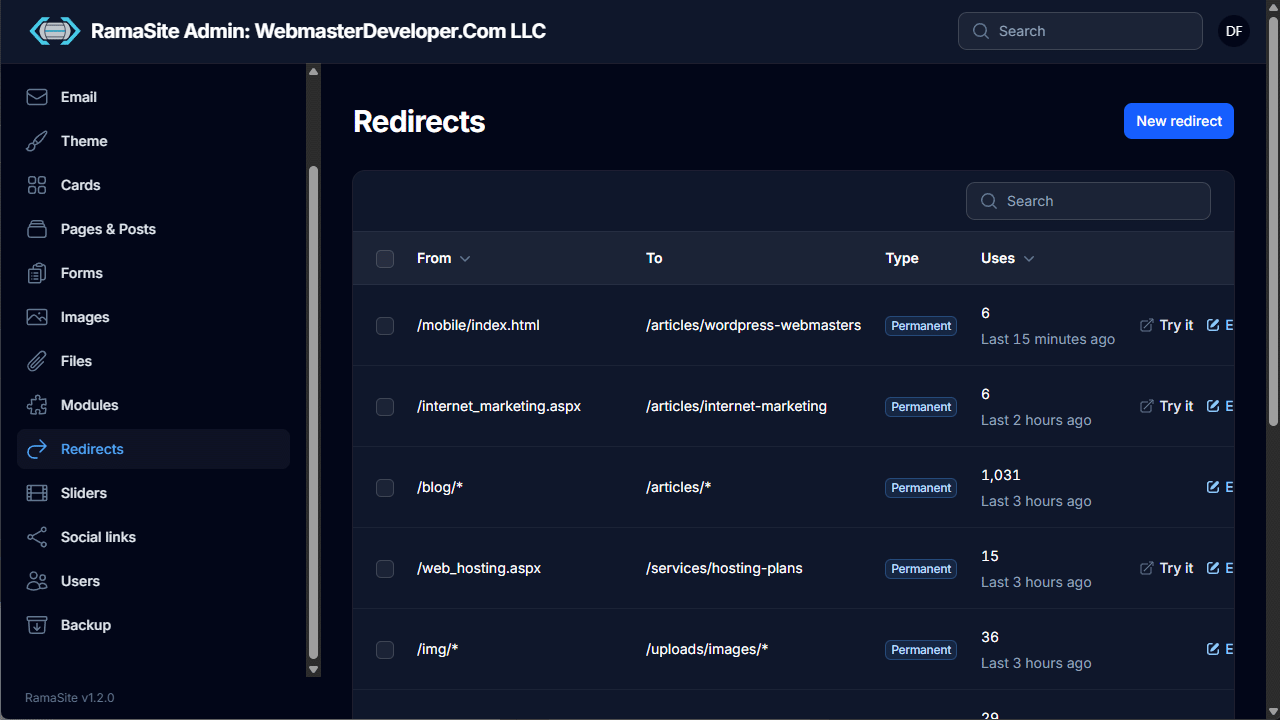
Manages URL redirects, useful after migrating from an older site. The list shows From, To, Type (Permanent) and a Uses count with when it was last hit, plus a Try it link to test each one.
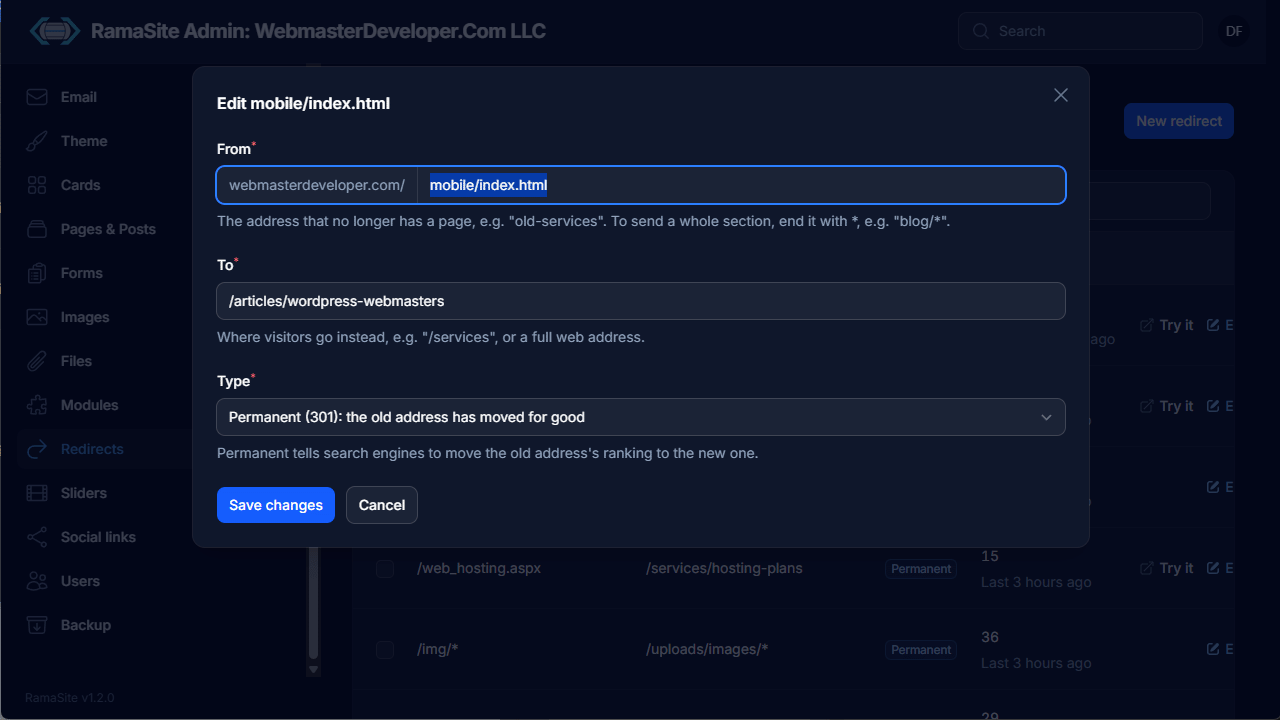
Each redirect has a From path (end with * to redirect a whole section, e.g. blog/*), a To path or full URL, and a Type — Permanent (301) tells search engines to transfer the old address's ranking.
12. Sliders
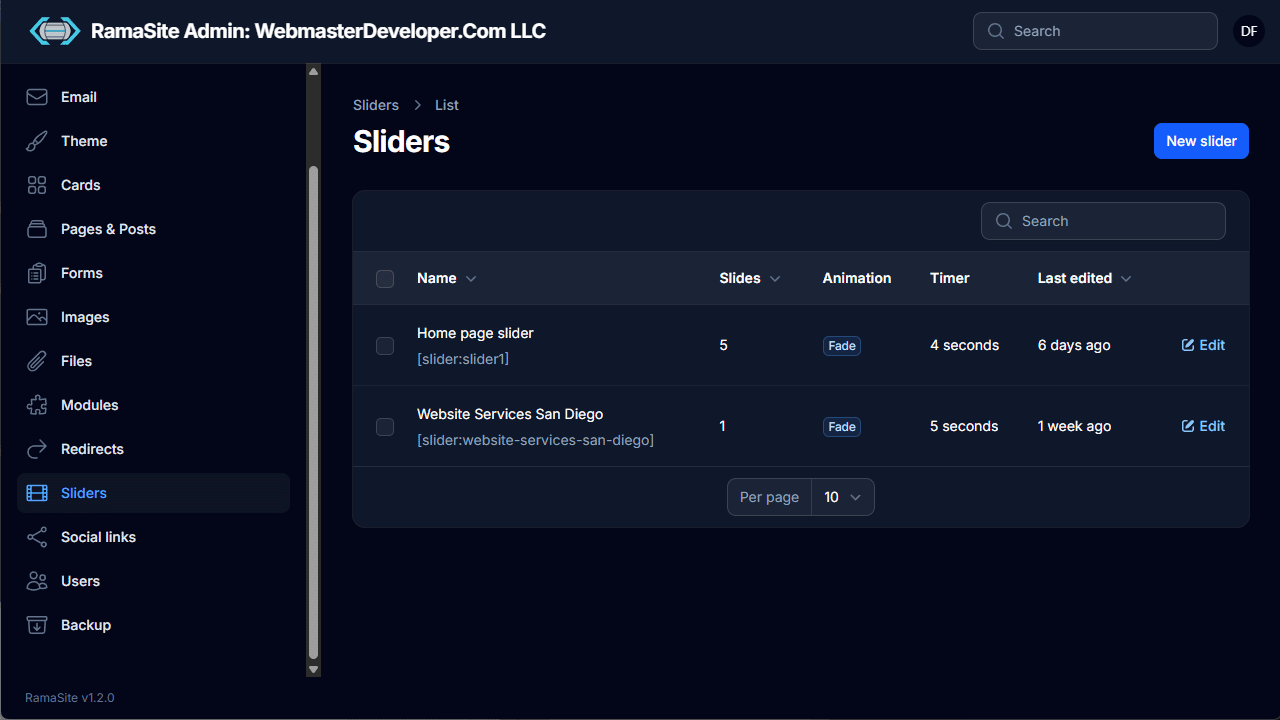
Image carousels placed with [slider:slug]. The list shows slide count, animation and timer.
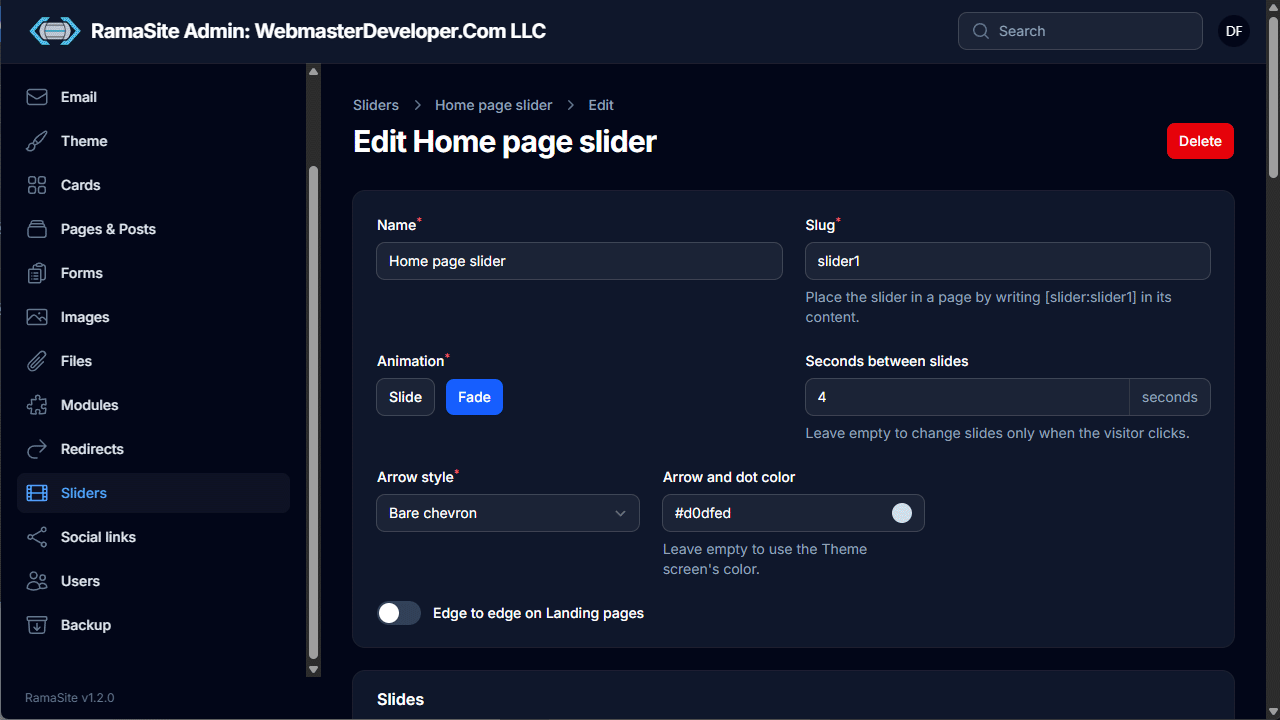
Slider settings: Name, Slug, Animation (Slide or Fade), Seconds between slides (empty = only change on click), Arrow style, Arrow and dot color, and Edge to edge on Landing pages.
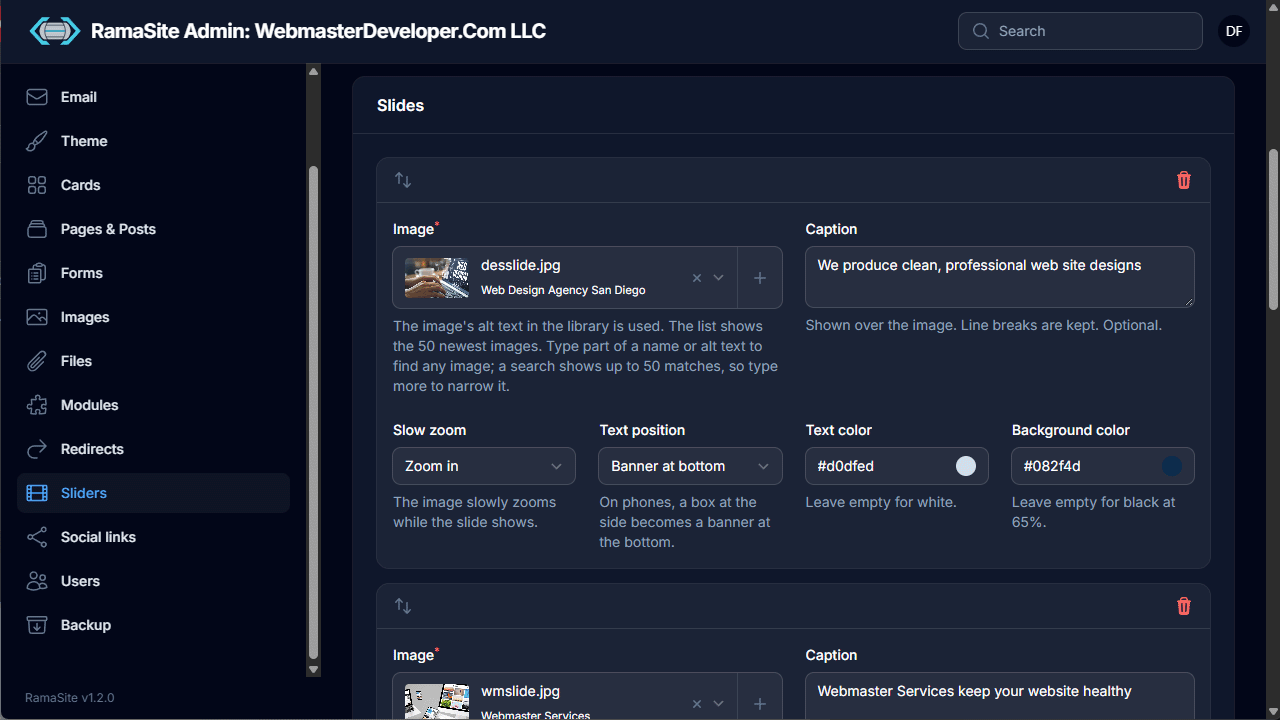
Each slide (drag to reorder) has an Image from the library (using its alt text), an optional Caption, Slow zoom, Text position (e.g. banner at bottom), and caption Text and Background colors.
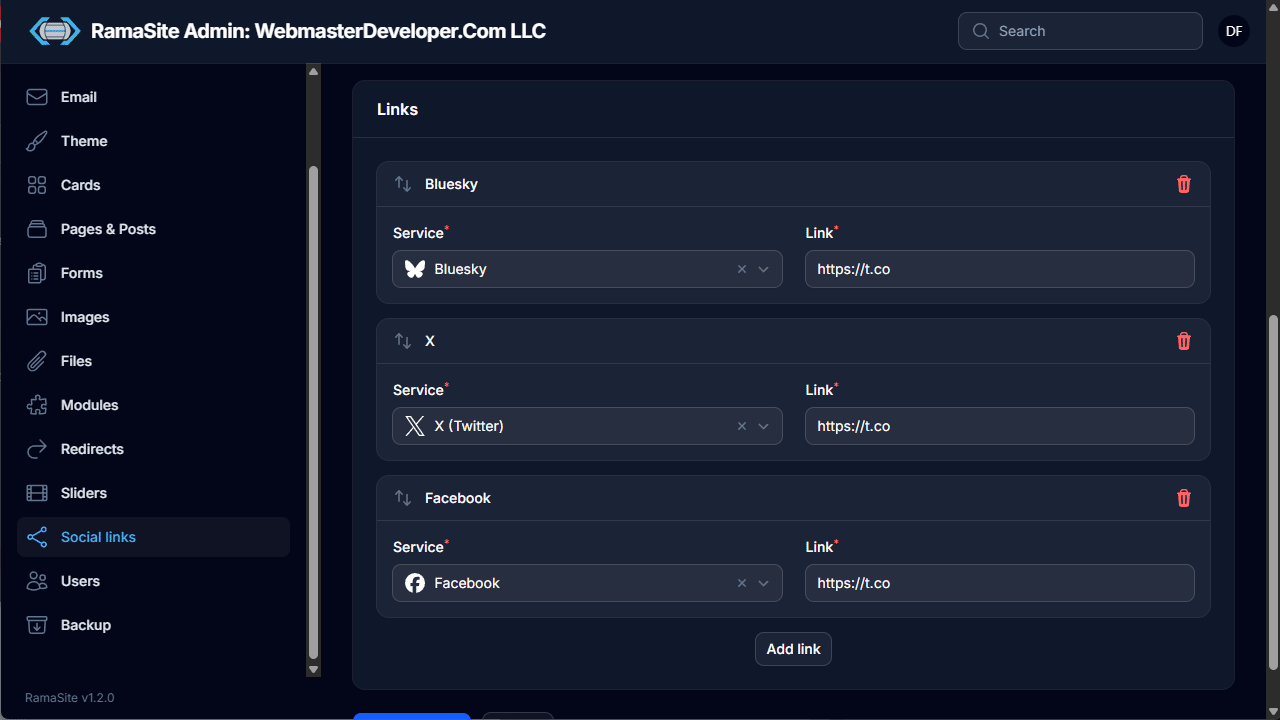
13. Social links
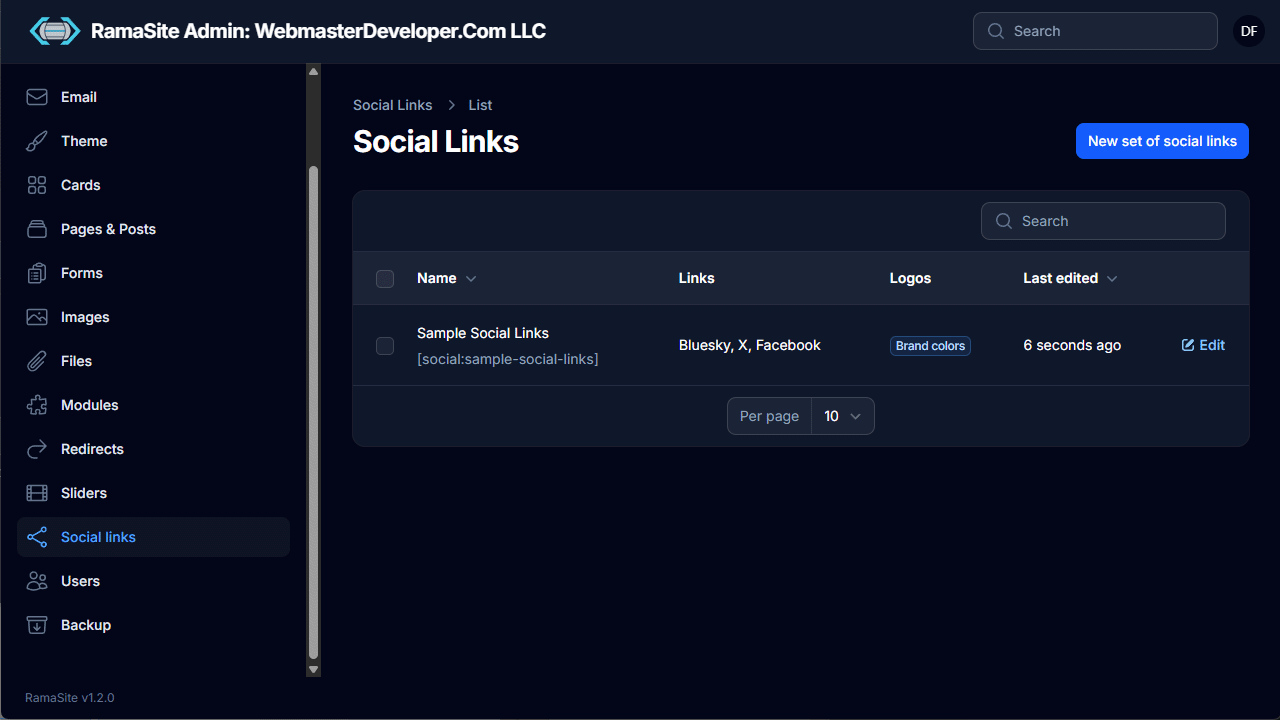
Sets of social media icons placed with [social:slug].
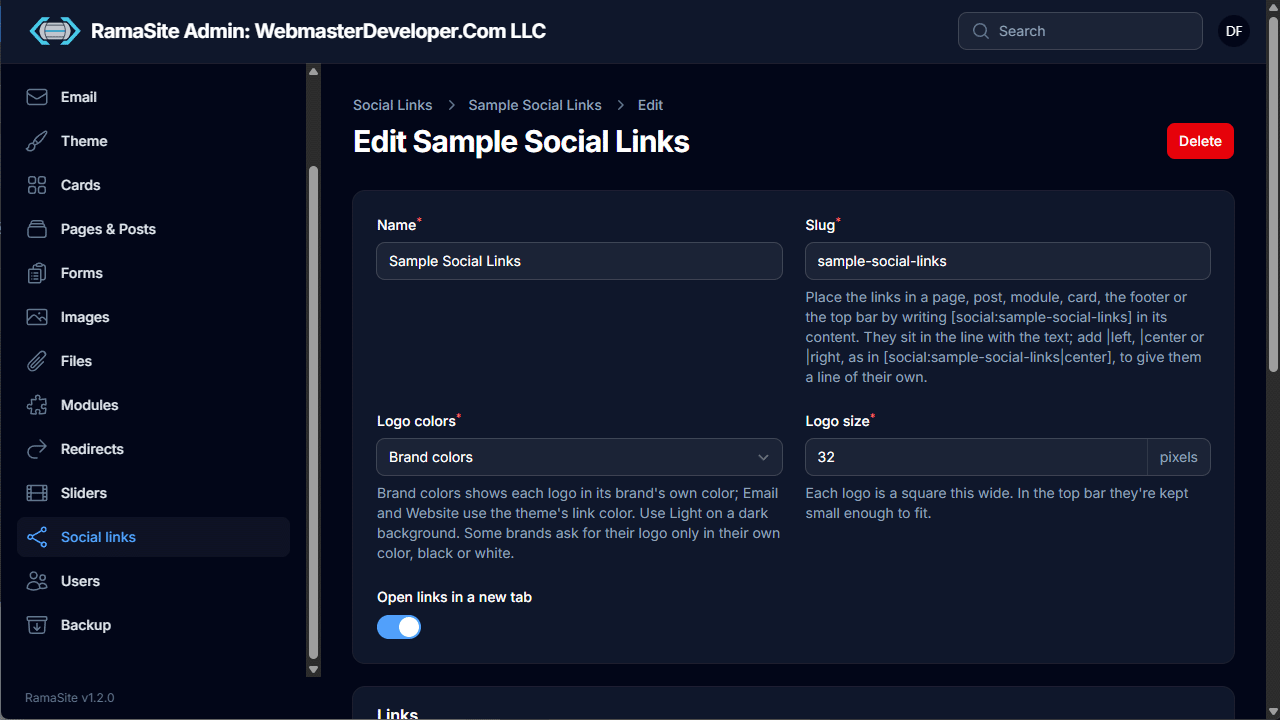
- Works in pages, posts, modules, cards, the footer or the top bar. Add
|left,|centeror|right(e.g.[social:sample-social-links|center]) to put the icons on their own line. - Logo colors (Brand colors, Light, etc.), Logo size in pixels, and Open links in a new tab.
- A Links list where each entry picks a Service (Bluesky, X, Facebook, …) and a URL; reorder by dragging and use Add link for more.
14. Users
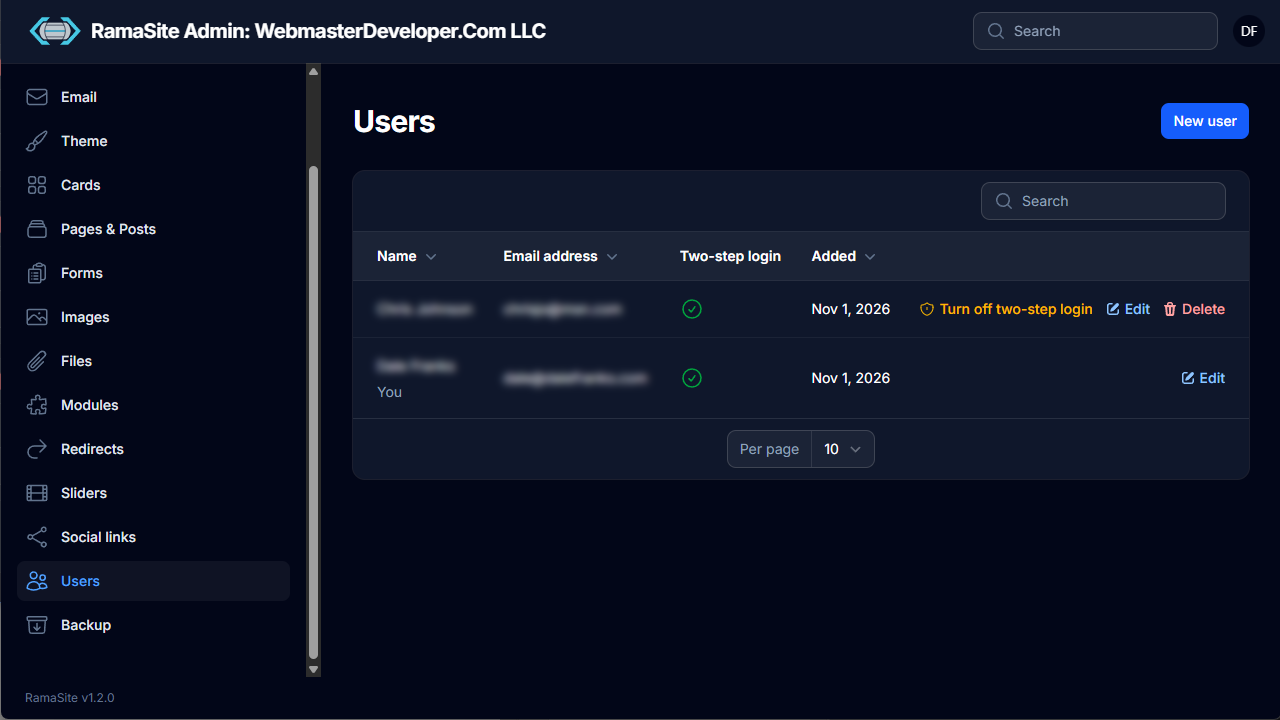
Admin accounts, listing name, email, whether two-step login is on, and date added. Admins can add, edit and delete users and turn off another user's two-step login (e.g. if they lose their device).
Profile
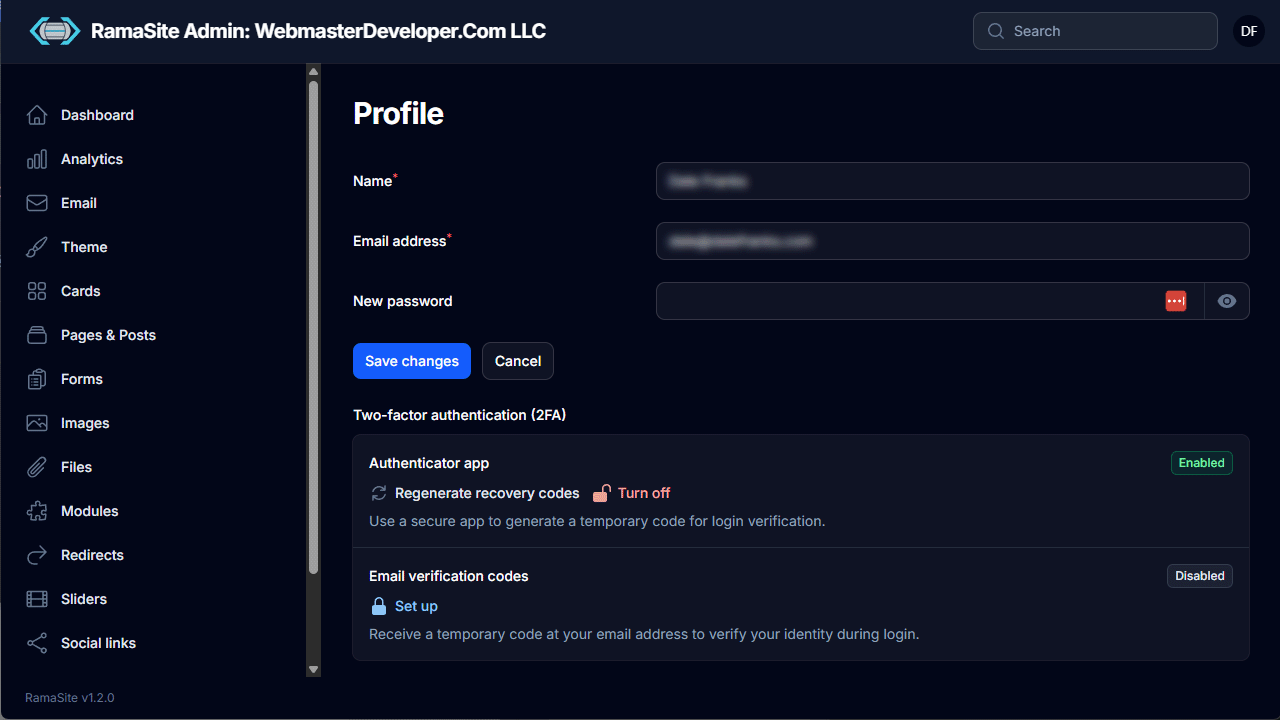
Opened from the initials in the top bar. Users update their name, email and password, and manage two-factor authentication: an authenticator app (with recovery-code regeneration) and/or email verification codes.
15. Backup
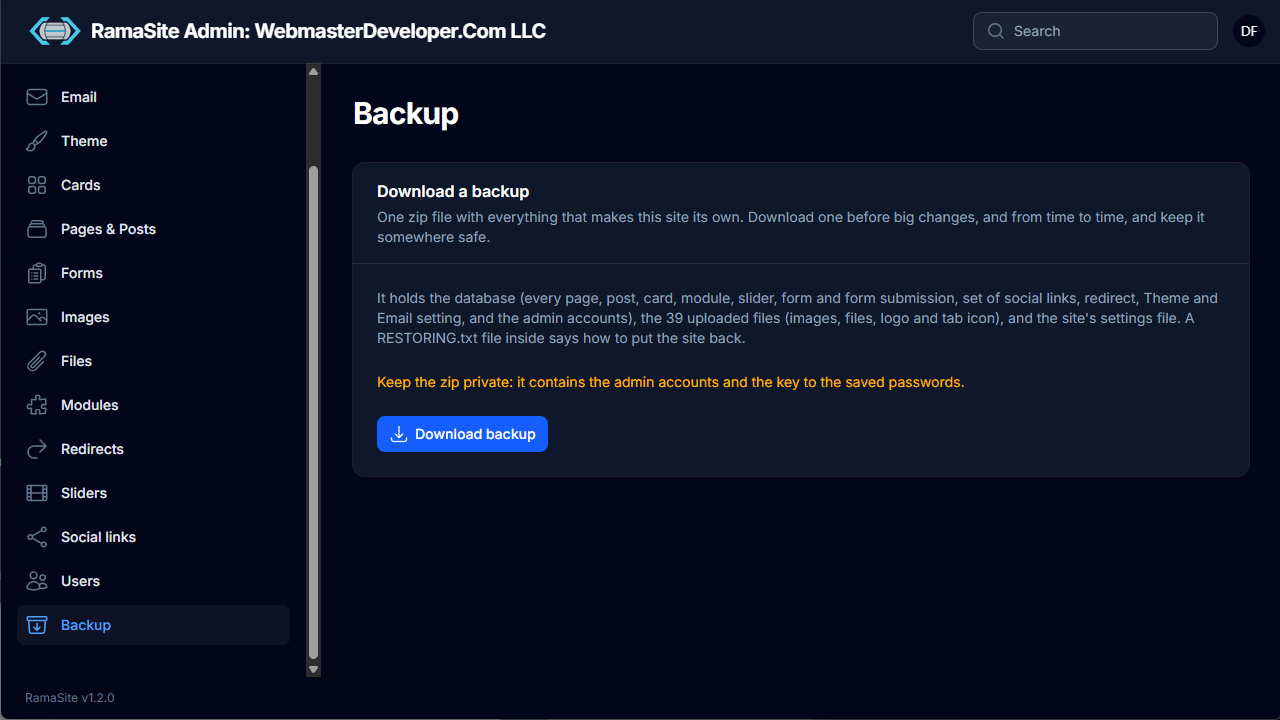
One click downloads a zip of everything that makes the site unique: the database (pages, posts, cards, modules, sliders, forms and submissions, social links, redirects, Theme and Email settings, admin accounts), all uploaded files, and the settings file. A RESTORING.txt inside explains how to restore.
Warning: Keep backup zips private — they contain the admin accounts and the key to the saved passwords.